Microsoft 365 E3 vs E5 India: which plan actually fits
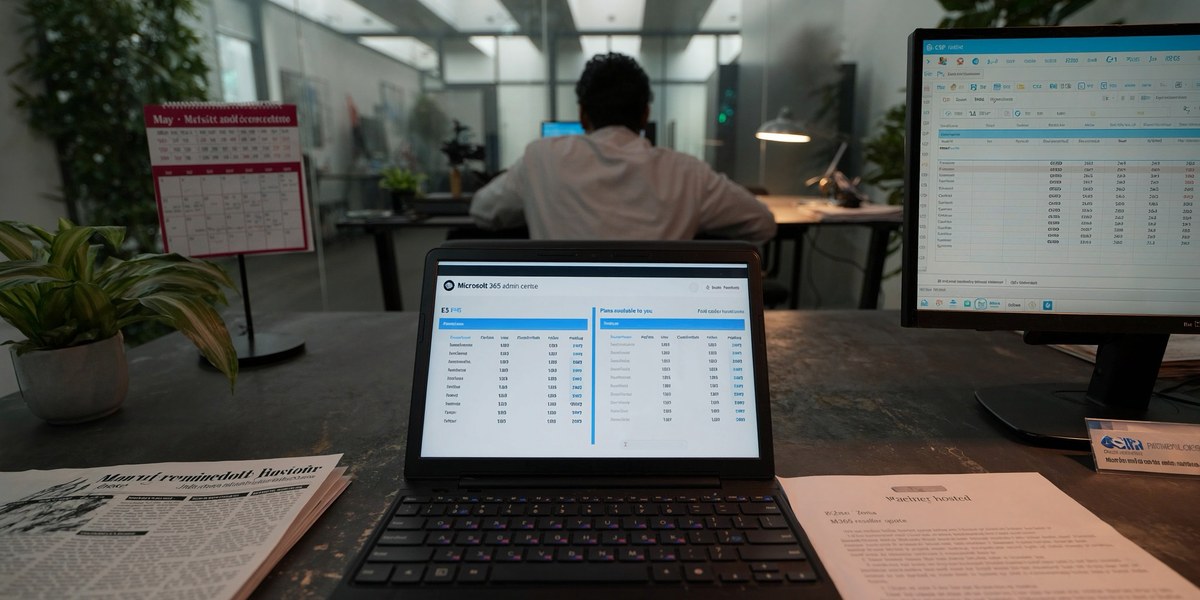
Microsoft 365 E3 vs E5 India for a mid-size company comes down to approx Rs.2,400 versus approx Rs.4,500 per user per month, with E5 adding Defender for Endpoint P2, Power BI Pro, Teams Phone, and full audit retention. For most Indian firms under 500 users, E3 plus two targeted add-ons lands within approx Rs.120 per user of E5, and skips the features nobody touches.
Most India CTOs end up doing the Microsoft 365 E3 vs E5 India math on the back of a sales call where the rep is incentivised to push E5. Half the time the company moves anyway. Half the time the conversation ends with a vague quote and a six-month “we will revisit.” The right answer is rarely the plan you pick first. It is the plan you build by adding two or three things to E3, watching what your team actually uses for ninety days, and then deciding whether E5 is worth the upgrade or whether you have already built a cheaper version of it.
What you actually get with E3 and what changes at E5
Both plans give you Word, Excel, PowerPoint, Outlook, Teams, OneDrive, SharePoint, and Exchange. Both include the desktop apps. Both run on the same Microsoft 365 Apps base. The differences sit in three buckets: security, analytics, and voice.
E3 covers the working surface for an Indian mid-size company. Per-user mailbox storage is 100 GB. Microsoft Defender for Office 365 Plan 1 is included, which catches the bulk of phishing. Conditional Access works. Sensitivity labels are available. You can build the basics of a DPDP-aligned audit trail through the standard compliance centre.
Related read: if you are an SMB choosing between suites, see our walk-through on Zoho One vs Microsoft 365 for Indian SMBs — the Friday-to-Monday Bengaluru founder argument that settled the question.
E5 stacks security and analytics on top. Defender for Endpoint Plan 2 (proactive threat hunting, automated investigation), Defender for Identity (insider threat detection), Defender for Cloud Apps (CASB), Power BI Pro built in instead of bought as an add-on, Teams Phone (replaces your PRI), and advanced eDiscovery and audit retention. The audit-log retention bumps from approx 90 days to one year, which matters more than most companies realise once a forensics engagement starts.
If you stripped E5 down to its three most-used components, you get Defender for Endpoint P2, Power BI Pro, and Teams Phone. Each of those is sold separately as an add-on to E3. The math we keep running for clients is what a stripped E5 actually costs versus full E5.
Microsoft 365 E3 vs E5 India: real per-user pricing
Indian list pricing through CSP (Cloud Solution Provider) channels for the 12-month annual subscription, single-user pricing rounded to the nearest Rs.50.
| Plan / add-on | Approx Indian list (per user/month) | What it adds |
|---|---|---|
| Microsoft 365 E3 | approx Rs.2,400 | Desktop apps, Teams, Defender O365 P1, basic compliance |
| Microsoft 365 E5 | approx Rs.4,500 | Adds Defender Endpoint P2, Defender Identity, Power BI Pro, Teams Phone, advanced eDiscovery, year-long audit |
| Defender for Endpoint P2 add-on | approx Rs.500 | Adds the EDR / threat-hunting layer to E3 |
| Power BI Pro add-on | approx Rs.840 | Adds Power BI Pro licence per user |
| Teams Phone Standard add-on | approx Rs.640 | Adds the cloud PBX without calling minutes |
| Microsoft 365 E5 Compliance add-on | approx Rs.1,000 | Advanced eDiscovery, audit, insider risk |
| Microsoft 365 E5 Security add-on | approx Rs.1,000 | Defender suite (Endpoint, Identity, Cloud Apps) |
These are list prices. Indian partners typically discount approx 7-15% on three-year terms. CSP pricing also bundles support and Microsoft escalation paths that direct retail does not.
The arithmetic that matters: E3 is approx Rs.2,400, three of the most-used add-ons are approx Rs.1,980, total approx Rs.4,380. E5 is approx Rs.4,500. The gap is approx Rs.120 per user per month, or approx Rs.1,440 per user per year. On 200 users, that is approx Rs.2.88 lakh annually for the convenience of one SKU instead of four.
When E5 is the right call
There are three honest reasons to buy E5 over E3 plus add-ons.
The first is regulatory weight. If you are in BFSI or insurance and your compliance team needs the year-long audit retention as the default, E5’s compliance bundle is the only sane way to buy it. Buying the add-ons separately works, the SKU mess at renewal does not.
The second is voice migration. If you are dropping a PRI line or moving off a legacy IP-PBX, Teams Phone is bundled in E5 and the math gets messy if you add it as a per-user component. India calling plans are sold separately by Microsoft and most CSPs price-bundle the calling minutes with the Phone Standard licence. Buy E5 if voice is the trigger event.
The third is decision fatigue. Some procurement teams cannot run a four-SKU renewal without breaking. They need one number, one budget line, one renewal cycle. E5 gives you that. The premium you pay is the procurement-simplification cost, and on small-to-mid fleets it is real.
When E3 plus add-ons wins
Most Indian mid-size companies belong here.
Your security team is small enough that Defender for Endpoint P2 is the only Defender component they will operationalise. Defender for Identity needs an analyst rotation that approx eight in ten Indian firms under 500 users do not staff. Defender for Cloud Apps catches things that endpoint DLP also catches, with overlap rather than coverage.
Power BI Pro is on most CTO wishlists but in practice approx four to six business users actually build dashboards. Buying Pro for everyone wastes approx 90% of the spend. The smarter path is Power BI Pro for the analyst team, Power BI free elsewhere.
Teams Phone is irrelevant unless you are migrating off a PRI. If you already use Zoom, Webex, or Google Voice for external calling, the Teams Phone licence is sunk cost.
For a typical 200-user Indian mid-size firm with no PRI to retire, buying E3 plus the Defender Endpoint P2 add-on (approx Rs.500/user) plus Power BI Pro for 8 analysts (approx Rs.840 each) lands at approx Rs.5.85 lakh per month. Equivalent E5 would land at approx Rs.9 lakh per month. The annual difference is approx Rs.37.8 lakh, which usually pays for the DLP layer, the compliance audit, and the device refresh that the firm has been deferring.
DPDP Act fit: what each plan actually covers
Both E3 and E5 give you the building blocks of a DPDP-aligned data layer: sensitivity labels, retention policies, basic eDiscovery, and Conditional Access. The day-to-day DPDP work, data inventory, consent capture, breach playbook, lives outside Microsoft 365 either way.
Where E5 helps is the audit trail. The default 90-day audit retention on E3 is not enough for a real DPDP investigation, which often runs nine to fifteen months from incident to closure. The E5 Compliance add-on at approx Rs.1,000 per user extends audit retention to one year, which is the practical floor. If you do not buy E5, buy this add-on for the compliance team and any user with admin rights. Skipping it is a budgeting decision that becomes a forensics expense later.
For the deeper DPDP design work, our earlier piece on migrating from perpetual Office to Microsoft 365 covers the data classification work that should happen alongside any plan upgrade. The order matters: classify before you buy the audit licence.
How to actually decide in approx 90 days
Three steps that take ninety days end-to-end and cost almost nothing.
Run an internal usage audit for three weeks. Pull who actually uses Power BI, Teams calling, advanced compliance features, and the Defender consoles. Most firms find approx 60-75% of the E5 features go untouched after the rollout euphoria.
Map your DPDP audit needs. If audit retention beyond approx 90 days is a hard requirement (BFSI, insurance, sensitive consumer data), the E5 Compliance add-on or full E5 is the floor. If not, E3 default retention plus a quarterly export to your SIEM is enough.
Negotiate two quotes. Ask your CSP for an E5 quote and an E3 plus named add-ons quote. Compare not just the per-user price but the renewal commitment, escalation path, and the breakage clause if you want to step down at renewal. Most CSPs will quote both. The ones that will not are usually paid more on E5 than E3.
If you also need to retire ageing devices alongside the plan upgrade, Device-as-a-Service can absorb the hardware refresh into the same monthly OpEx line. Buying approx 50+ devices? Ask about DaaS when you book the audit.
Neha’s Take
Approx seven of the ten M365 plan reviews I sat through last quarter ended with the company picking E3 plus two add-ons. The exception was a BFSI client where IRDAI examiners had asked for full audit history at the previous renewal cycle. E5 is a good plan. It is rarely the cheapest plan or even the most-used plan. The trick is to start narrow, watch what gets used, and grow into the SKUs you actually need rather than buying the whole stack on day one.
Sirius Star runs the Microsoft 365 services practice for Indian mid-size firms, including plan design, CSP negotiation, and migration. Our free M365 health check is a 70/30 starting point, an honest read on what your team actually uses, what the renewal should cost, and which add-ons would shift the math.
For a different angle on the cloud-suite decision, our earlier Microsoft 365 vs Google Workspace comparison walks through the platform-level choice before you pick the plan tier.
Book a free M365 health check on WhatsApp
approx 200+ businesses trust us. Response within approx 4 hours.
FAQ
Q: Microsoft 365 E3 vs E5 India: which is cheaper for a 200-person company? A: Microsoft 365 E3 is the cheaper baseline at approx Rs.2,400 per user per month versus approx Rs.4,500 for E5. For a 200-person Indian company, that is approx Rs.50.4 lakh annual difference. E3 plus the Defender Endpoint P2 and Power BI Pro add-ons usually lands within approx Rs.120 per user of E5, while skipping the features most teams do not use.
Q: Does E3 cover DPDP Act compliance for an Indian mid-size firm? A: E3 covers most of the DPDP-aligned tooling: sensitivity labels, retention policies, basic eDiscovery, and Conditional Access. The 90-day default audit retention is the gap. For DPDP audit defence, buy the E5 Compliance add-on at approx Rs.1,000 per user for the compliance team and admin users at minimum, or upgrade to full E5 if the company is in BFSI or insurance.
Q: Should we wait until renewal to upgrade from E3 to E5? A: Usually yes. Mid-cycle upgrades from E3 to E5 carry pro-rata billing but lock you into a longer commitment. Most CSPs will let you add specific add-ons mid-cycle without restructuring the whole licence. If you only need one capability, add it; do not upgrade the whole tier.
Q: Can I downgrade from E5 to E3 at renewal? A: Yes, but the CSP contract has to allow it. Standard CSP terms permit step-down at renewal, but enterprise agreements can lock pricing in for three years. Read the renewal clause before signing E5. Approx three in ten clients we audit are paying for E5 on a renewal cycle they regret.
—
About the author
Neha Iyer leads the Productivity Architecture practice at Sirius Star Enterprise Technologies, focused on Microsoft 365 plan design, M365 CSP negotiation, and Office migrations for Indian mid-size firms. She has run plan reviews for approx 80 companies across BFSI, pharma, manufacturing, and SaaS, and writes the team’s quarterly view on Microsoft licensing economics in India.
For the Microsoft Cloud angle on the same DPDP and SEBI pressure points, our walk-through of Microsoft Purview vs Microsoft 365 DLP for Indian companies shows how one Mumbai advisory firm priced the bridge between M365 E3 DLP and full Purview without overpaying for E5.
For the ERP-side decision that sits next to this, see our business central vs tally vs sap B1 for Indian SMBs comparison.