How to Choose MDM India: 7 Proven Steps Your Business Must Follow
Understanding how to choose MDM India is critical for Indian IT teams. MDM software controls every phone, tablet, and laptop your company owns. Picking the wrong one costs you approx 6-12 months of migration pain and a contract you cannot exit cleanly. This guide gives you a 7-step evaluation framework built from 200+ MDM deployments we have done across pharma, BFSI, logistics, and manufacturing in India.
Why most Indian companies pick the wrong MDM
I have seen this pattern play out at least 30 times in the last two years, and it is why knowing how to choose MDM India matters more than any feature checklist. The IT head Googles “best MDM software,” reads a Gartner quadrant, picks a name, signs a 3-year contract, and then discovers the product cannot enforce a basic app-allowlist on Android without a Samsung Knox license that costs extra.
The problem is not the MDM platforms themselves. Most tier-1 MDMs are competent. The real question is how to choose MDM India software that fits your specific environment. The problem is companies evaluate MDM like they evaluate accounting software: they compare feature lists. MDM does not work that way. What matters is how the software handles your specific fleet mix, your OS split, your compliance requirements, and your budget per device.
Three facts that should shape how to choose MDM India for your organisation. First, approx 68% of Indian enterprises run a mixed fleet (Windows + Android + iOS). Second, most MDM vendors price per device per month, but the actual cost varies 2-4x depending on OS mix and feature tier. Third, the average MDM deployment in India takes approx 8-14 weeks from contract to full enrollment, not the “approx 3 days” that vendor demos promise.
Step 1: audit your device fleet before you talk to any vendor
The first step in how to choose MDM India is knowing what you are managing. This sounds obvious. I have sat in 15 vendor demos where the buyer could not answer “how many Android devices do you have?” That demo was wasted time for everyone.
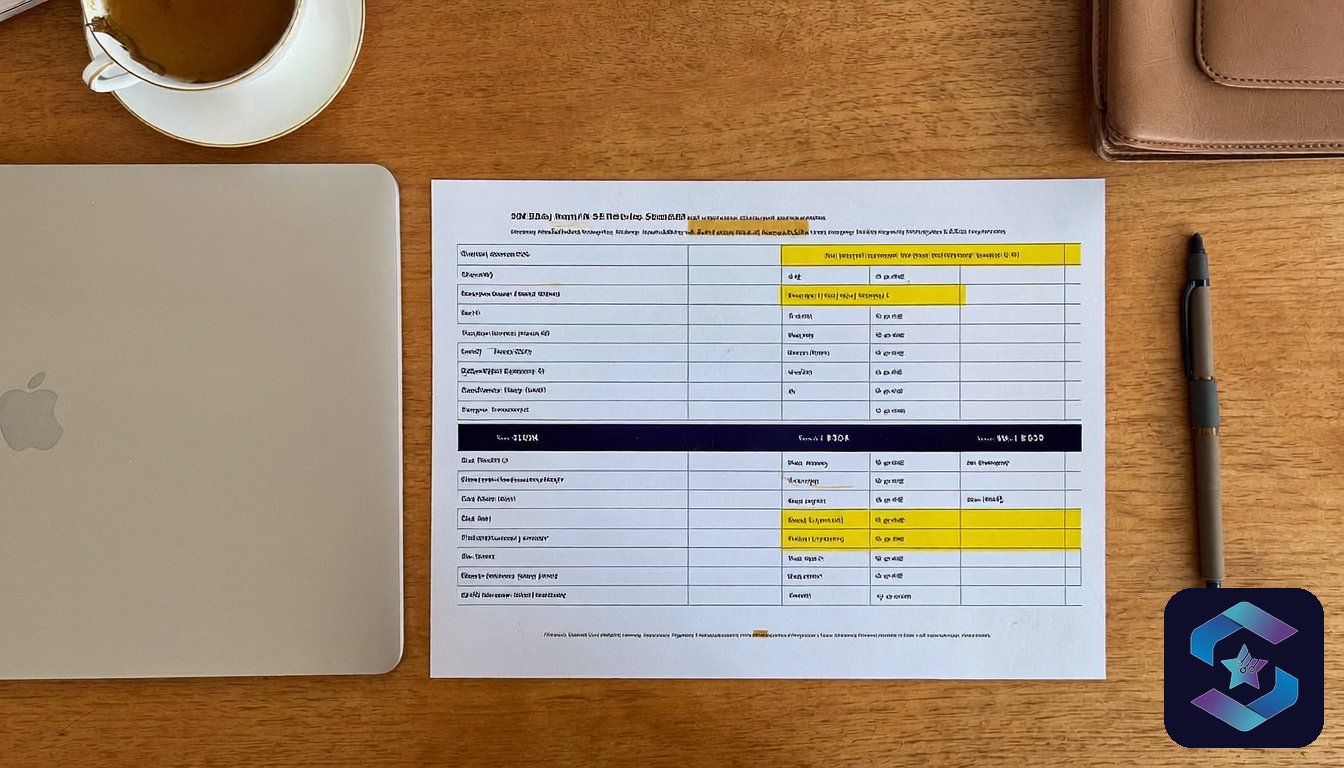
Build a device inventory with four columns: device type (phone, tablet, laptop), OS and version, ownership model (corporate-owned, BYOD, shared), and location (office, field, remote). If you cannot fill this spreadsheet in a day, that is your first sign you need device lifecycle management before MDM.
The inventory decides everything when figuring out how to choose MDM India. A 90% Samsung Android fleet points you toward Knox Manage (free tier built into Samsung hardware). A 60/40 Windows-Android split needs Intune or Hexnode. A 200-device BYOD fleet with personal iPhones needs containerization, which rules out half the budget MDMs.
Step 2: define your policy requirements in plain language
Write down what you need the MDM to do. Not in vendor jargon. In sentences.
“Lock the phone if someone enters the wrong PIN 5 times.” “Block USB file transfers on all Windows laptops.” “Push our CRM app to every field rep’s tablet without them visiting IT.” “Wipe company data from a personal phone when someone resigns.”
I keep a running list of the 12 most common policy requirements from Indian companies. Here are the ones that trip people up:
Geo-fencing (restrict app access by location) sounds standard but only works reliably on 4 of the 8 major MDM platforms. App-level VPN (route only work-app traffic through the corporate VPN) requires a specific license tier on Intune and is not available at all on 2 budget platforms. Kiosk mode for shared tablets is a feature every MDM claims to support, but the implementation quality varies wildly. Test kiosk mode during your proof of concept, not after you sign.
Step 3: shortlist based on your OS mix, not on brand
This is the decision framework I use with clients when they ask how to choose MDM India based on their OS mix:
If your fleet is 80%+ Samsung Android, start with Samsung Knox vs SOTI. Knox Manage is free for Samsung devices. You may not need a third-party MDM at all.
If your fleet is 60%+ Windows, Intune is the default. It ships with Microsoft 365 Business Premium (Rs 605/user/month) and E3/E5. If you already pay for M365, you already own an MDM and may not know it.
If your fleet is mixed (Windows + Android + iOS + Mac), you need a cross-platform UEM. Hexnode, ManageEngine, and Scalefusion are the three Indian-headquartered options with local support. VMware Workspace ONE and Ivanti are the global alternatives.
If you have a BYOD policy, knowing how to choose MDM India means prioritizing containerization. Intune’s App Protection Policies and Knox’s work profile are the two strongest options in India right now.
Stop comparing platforms you will never use. how to choose MDM India comes down to matching your fleet, not reading feature matrices. A pharma company with 600 Samsung tablets does not need to evaluate Jamf (Apple-only). A Windows-heavy BFSI firm does not need Scalefusion’s Android kiosk features.
Step 4: get real pricing, not list pricing
MDM vendors in India operate on negotiated pricing. The listed per-device-per-month rate is the starting point, not the final number. What 200+ deals have taught me about actual costs:
| Fleet size | Budget MDM (Scalefusion, Hexnode basic) | Mid-tier (Knox Manage paid, ManageEngine) | Enterprise (Intune E3, Workspace ONE) |
|---|---|---|---|
| approx 50 devices | Rs 45-60/device/month | Rs 80-120/device/month | Rs 150-250/device/month |
| approx 200 devices | Rs 35-50/device/month | Rs 60-90/device/month | Rs 120-180/device/month |
| approx 500+ devices | Rs 25-40/device/month | Rs 45-70/device/month | Rs 90-150/device/month |
These are real numbers from signed contracts, not vendor websites. Two things to watch. First, check whether the quote includes OS-level management or just app-level control. App-level is cheaper but leaves gaps on unmanaged personal devices. Second, ask about the enrollment fee. Some vendors charge a one-time Rs 15,000-50,000 setup fee that does not appear in the per-device quote.
Three-year contracts save 15-2approx 5% but lock you in. Understanding how to choose MDM India pricing structures is just as important as features. My recommendation for first-time buyers: sign a 1-year contract with a renewal clause. The switching cost after year 1 is low because most policies port between platforms. After year 3 with approx 500+ devices enrolled, migration becomes a project, not a task.
Step 5: run a proof of concept on approx 20-30 devices
Never buy MDM software from a demo. A proof of concept is the only reliable way to learn how to choose MDM India that works in your environment. Demos run on a vendor’s test fleet with perfect network conditions and pre-configured policies. Your environment is different.
A proper proof of concept takes 2-3 weeks and covers: enrollment (can your team enroll approx 20 devices in a day without calling support?), policy enforcement (does the geo-fence actually fire on Indian telecom networks?), app distribution (does the silent install work on your Android version?), and reporting (does the dashboard show what your IT operations team needs for pharma field force management?).
I tell every client to test two platforms, not one. Comparing two finalists side by side on the same devices gives your team direct evidence of which platform handles your workflows better. It adds a week to the timeline but removes months of regret. Even if you are approx 90% sure about your choice, the PoC comparison gives you negotiation power and surfaces hidden limitations.
Step 6: plan the rollout in phases, not a big bang
The single biggest MDM deployment mistake I see in India is the big-bang rollout. A company signs a 500-device contract, enrolls everyone in week 1, and spends weeks 2 through 8 fielding complaints about battery drain, blocked apps, and VPN disconnects.
Phase it. When learning how to choose MDM India deployment strategy, pilot with approx 30-50 devices from one department (pick the most cooperative team, not the most critical). Fix the policy conflicts. Then expand by approx 100 devices every approx 2 weeks. A 500-device rollout should take approx 8-10 weeks, not 1.
The enrollment method matters more than most buyers realize. In fact, enrollment friction is the number one reason employees resist MDM, and understanding this is central to how to choose MDM India that your workforce will actually accept. Zero-touch enrollment (Samsung KME, Apple DEP, Windows Autopilot) means the device arrives pre-enrolled out of the box. Manual enrollment requires the user to install a profile. For field teams who are not tech-savvy, zero-touch is worth paying extra for. We have seen enrollment completion rates jump from approx 71% (manual, logistics company, approx 800 devices) to approx 97% (zero-touch, same company, next batch).
Step 7: evaluate the vendor’s India support, not just the product
This is where most articles on how to choose MDM India stop. They compare features and forget that you will call support at 11 PM on a Friday when 200 field devices stop syncing after an Android update.
Four questions to ask any vendor before signing. These questions separate vendors who understand the Indian market from those who treat it as an afterthought, and they are essential to how to choose MDM India with confidence. Does support operate in IST or do tickets sit until US business hours? Can you reach a human by phone, or is it ticket-only? What is the average resolution time for P1 issues (full fleet outage) in India? Do they have an India-based implementation partner, or will a consultant from Singapore fly in?
For Indian-headquartered MDMs (Scalefusion in Pune, ManageEngine in Chennai, Hexnode in Kochi), support is local by default. For global platforms (Intune, Workspace ONE, Jamf), ask for the India SLA specifically. Microsoft’s Intune support for Indian M365 tenants has improved since 2024, but enterprise-tier support still requires an E3/E5 license with Premier Support add-on.
The honest trade-off nobody talks about
No article on how to choose MDM India is complete without this warning: MDM adds friction. Your employees will notice. Apps take 5-10 seconds longer to install. Some personal apps get blocked on BYOD devices. Battery consumption increases 3-8% on always-on management profiles. USB ports get locked. Screenshots get restricted in work apps.
This is the cost of control. Accept the friction, communicate the reasons clearly to your team, and set up a feedback channel for the first approx 30 days. The alternative is what I see at companies without MDM: approx 14,000 customer records on an ex-employee’s personal phone, approx 23 staff members backing up client data to personal Google Drive, an MR walking into a competitor’s office with your entire product pricing on an unwiped tablet.
Every company that has figured out how to choose MDM India successfully reaches the same conclusion. MDM is not about trust. It is about having a policy that works whether you trust the person or not. Understanding the full device lifecycle is the first step. MDM is the enforcement layer.
The biggest mistakes I see when companies learn how to choose MDM India fall into three categories. First, evaluating platforms by feature count instead of fit. A platform with 200 features is useless if your team needs 15. Second, skipping the proof of concept because the demo looked polished. Third, underestimating local support. An MDM vendor that cannot troubleshoot Samsung Knox enrollment during IST business hours is not ready for India, no matter how strong the global brand. Avoiding these errors is central to how to choose MDM India successfully.
Kavya’s Take
After helping dozens of companies figure out how to choose MDM India, I have seen it all. I have deployed MDM at companies where the CEO said “just pick whatever Samsung recommends” and at companies where the IT head spent approx 4 months evaluating 6 platforms. The 4-month evaluations did not produce better outcomes. What produced better outcomes was a clear device inventory, a 20-device PoC, and a phased rollout. Skip the spreadsheet wars. Test on real devices with real users and real Indian network conditions. That tells you more than any feature matrix.
Quick reference: how to choose MDM India in 2026
If you have read this far, here is the condensed version of how to choose MDM India for Indian businesses. Print this page or bookmark it for your next procurement cycle.
Start with your device inventory. You cannot evaluate any MDM platform without knowing your OS split, ownership model, and compliance requirements. This single step eliminates half the market and saves weeks of wasted demos. Every consultant I know agrees: the inventory is where how to choose MDM India begins and ends.
Match the platform to your dominant OS. Samsung-heavy fleets start with Knox. Windows-heavy fleets start with Intune. Mixed environments need Scalefusion, ManageEngine, or Hexnode. Do not waste time on platforms that treat your primary OS as an afterthought. how to choose MDM India gets simpler when you narrow the field to two or three contenders instead of ten.
Get real pricing from at least three vendors and always run a proof of concept on 20 to 30 production devices. The PoC is where the real answer to how to choose MDM India reveals itself: enrollment friction, policy enforcement gaps, and support response times that no demo can simulate. Budget four to six weeks for this phase.
Finally, evaluate the vendor’s India support infrastructure. A platform with IST-hours support, a local data centre, and a named account manager is worth paying 15 to 20 percent more than one that routes your tickets through a US queue. how to choose MDM India is ultimately a question of ongoing partnership, not a one-time purchase decision.
FAQ
What is the cheapest MDM for a small Indian business?
If budget drives how to choose MDM India at your company, note that Samsung Knox Manage is free for Samsung devices (up to basic policy enforcement). For mixed fleets under 50 devices, Scalefusion starts at Rs 45/device/month. Intune is included if you already pay for Microsoft 365 Business Premium.
Can I use Intune without Microsoft 365?
Yes, Intune is available as a standalone license (Rs 200-250/device/month in India). But most companies already have M365, where Intune comes bundled. Check your existing licenses before buying separately.
How long does MDM deployment take in India?
Once you know how to choose MDM India, expect deployment timelines of approx 6-8 weeks for a 200-device fleet with phased rollout. The PoC phase (approx 2-3 weeks) runs in parallel with contract negotiation. Big-bang deployments in approx 1 week are possible but produce 3x the support tickets in week 2.
Is MDM required for DPDP Act compliance?
Understanding how to choose MDM India for compliance matters because the DPDP Act requires “reasonable security safeguards” for personal data on devices. MDM is the most practical way to enforce remote wipe, encryption, and access controls on employee devices. It is not explicitly mandated, but auditors expect it for companies with approx 50+ devices.
What happens to employee data on BYOD devices when MDM is installed?
Containerized MDM (Intune App Protection, Knox work profile) creates a separate work container. The company can wipe the container without touching personal photos, WhatsApp, or banking apps. Explain this to employees before enrollment to avoid pushback.
approx 200+ businesses trust us. Response within approx 4 hours.
About the author
Kavya Nair, MDM Solutions Architect
Kavya is Sirius Star’s MDM/UEM solutions architect. She specs and deploys Intune, Jamf, Kandji, and Hexnode for clients ranging from 50-device startups to 2,000-device enterprises. Her specialty is the messy middle: mixed Windows + Mac + iOS + Android fleets where one policy does not fit all and where BYOD rules have to satisfy both HR and DPDP’s purpose-limitation principle. Before Sirius Star she worked on the UEM team at a global consulting firm. She is Intune-certified and a Jamf 300-level admin. Her writing focuses on policy-as-code: how to turn a compliance statement into an MDM configuration profile that actually enforces it.
Related: MDM for business India what it actually costs: the 90-day bake-off one Mumbai fintech ran — the full bake-off table with fully loaded per-device-per-month numbers for ManageEngine, SureMDM and Microsoft Intune.