The Western Digital hard drive for NAS we should have bought first
Last updated: 27 June 2026
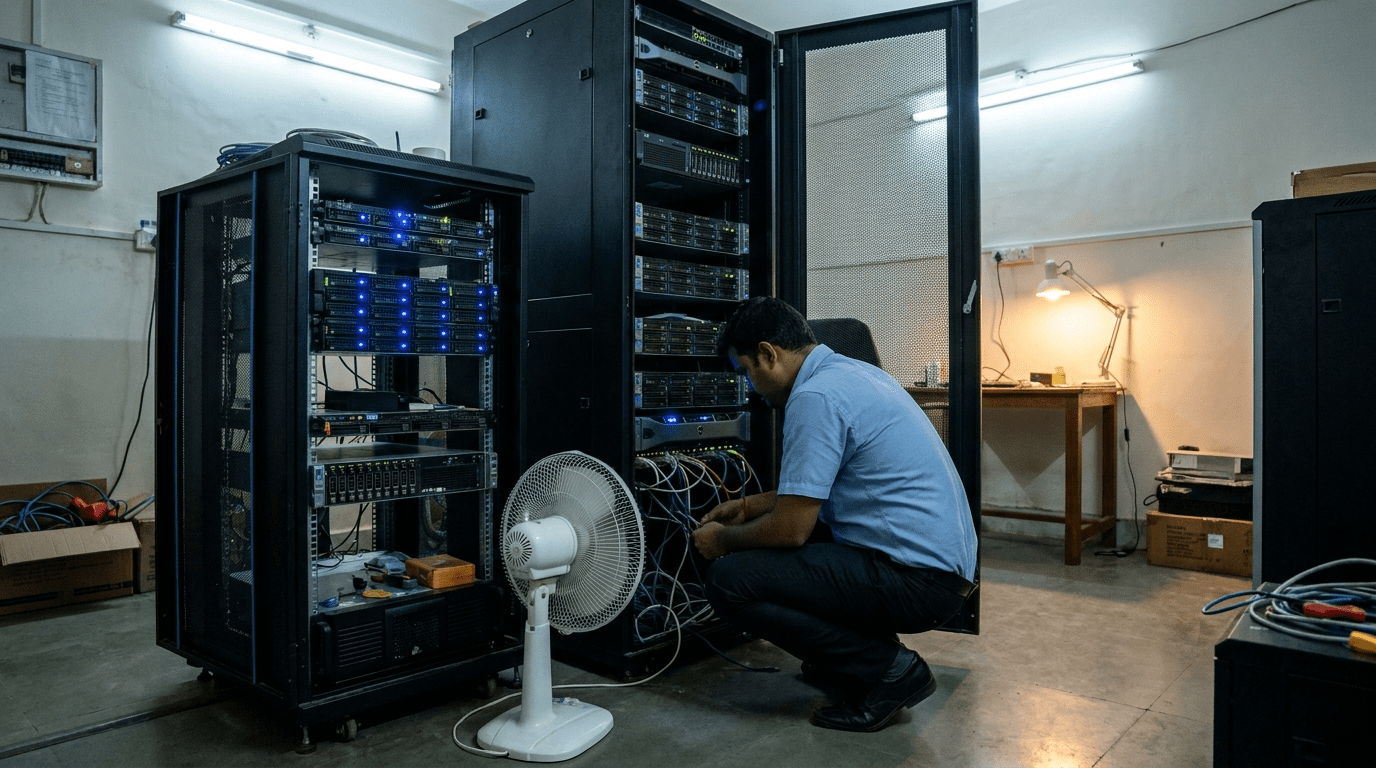
The first thing I noticed in that office was the fan. A small table fan pointed straight at a four-bay box on the floor near the accounts desk, because someone had worked out that the box ran cooler with air on it. That box was the company NAS. Every drawing, every invoice, every signed delivery challan for a 60-person logistics firm sat on a storage unit being kept alive by a 600 rupee fan.
I had come for a different reason. Their server was due a refresh and procurement wanted a quote. The NAS drama found me on the way in.
The fortnight two drives decided to quit
Vinod runs IT for the firm, alone, the way most mid-size Indian businesses run IT. Capable, stretched, doing three jobs. Two weeks before my visit, the NAS had thrown an alert. One disk in the four-bay RAID had dropped out. The volume still worked, so the alert got the treatment most alerts get on a busy floor. It got ignored.
Then the second thing happened. A pallet went missing from the warehouse overnight. The team went to pull the camera footage for the insurance claim. The recorder had stopped writing eleven days earlier. The disk inside it, a plain desktop drive, had quietly given up under the load of eight cameras running every hour of every day. No alert. No fan pointed at it. Just eleven days of nothing where the footage should have been.
That is the call I got. Not a hardware question. A “we just lost something we cannot get back” question.
The mistake was a colour, not a brand
What surprised Vinod most was simple. The drives were not cheap junk. They were Western Digital. He had bought a known name and assumed a known name meant safe. The problem sat one level down. He had bought WD Blue, the desktop colour, and dropped it into two boxes that never sleep.
WD ships a colour-coded lineup, and each colour solves a different problem. A desktop drive expects to be idle most of the day and busy in bursts. A NAS in a logistics office is busy at 9 in the morning and still busy at 11 at night. A surveillance recorder is busy every single second, writing eight camera streams it can never pause. Put a desktop drive in either of those jobs and you are not unlucky when it fails. You are on schedule.
This is the part of my job that feels least like technology and most like translation. Vinod is good at what he does. Nobody had ever sat with him and explained that the sticker colour is the spec, not a marketing choice.
How I sized the right Western Digital hard drive for NAS and camera work
We did not start with a catalogue. We started with the floor. How many people hit the file server at once. How many cameras. How many hours. What has to survive a five-year refresh and what is allowed to be replaced sooner. Then I mapped each job to a colour.
The shared file server, a Synology four-bay, got WD Red Pro. Red Pro is tuned for 24×7 NAS duty, with vibration-aware firmware for multi-bay enclosures and a 550 TB per year workload rating. The camera recorder got WD Purple, built for the constant write load of an NVR and many simultaneous streams. The new server going into the refresh got WD Gold, datacenter-grade SATA rated at 2.5 million hours MTBF, the same family the big ProLiant and PowerEdge bays run.
| WD drive | Built for | Put it in | Never put it in |
|---|---|---|---|
| WD Red Plus | Small NAS, 2 to 8 bays | A 4-bay office file server | A 16-bay rack |
| WD Red Pro | Heavy 24×7 NAS, 8 to 24 bays | The busy shared drive | A single laptop |
| WD Purple / Purple Pro | Surveillance NVR write loads | The CCTV recorder | A general file server |
| WD Gold / Ultrastar | Datacenter, 2.5M-hr MTBF | Server bays, cold capacity | A petty-cash budget line |
| WD Blue / Black | Desktop and creator workstations | One machine on one desk | Anything that runs 24×7 |
200+ Indian businesses. WD authorized warranty service across India. Response within 24 working hours.
The number that actually changes the decision
Procurement always asks the same question. Why does the right drive cost more. So I show them MTBF, not adjectives. WD Gold and WD Red Pro are rated at 2.5 million hours mean time between failures. A desktop drive in a 24×7 box is not rated for that duty at all, which is why it tends to fail somewhere in year two or three, right when you have forgotten it exists.
A WD Red 4TB for a NAS lands around 14,000 rupees. A WD Gold 16TB sits around 50,000 rupees and up, depending on the day’s India MRP. Yes, that is more than the desktop drive Vinod had bought. It is also the difference between a drive that survives the full refresh cycle and one you pay for twice, once at purchase and again at recovery. Arre, the second bill is always the bigger one.
I will say the quiet part out loud. I went into Vinod’s office mildly annoyed, half-expecting to find someone who had bought the cheapest thing on a marketplace to save a few thousand rupees. That was my bias and it was wrong. He had bought a trusted brand and been let down by a gap nobody had closed for him. The fix was not a bigger budget. It was sizing by workload instead of by sticker price.
What the rebuild looked like
We did it in one Saturday. Red Pro into the Synology, rebuilt the RAID with a fresh volume, restored what could be restored. Purple into the recorder, with a quick check that the NVR firmware actually supported the drive capacity, because it often does not on older units. Gold went into the new server when it arrived the following week. One quote covered all three, sized from the floor walk, with India MRP and RAID guidance written down so Vinod could defend it at procurement review without a vendor in the room.
The thanda chai arrived around the third hour, which on an Indian office floor means you have been accepted. By evening the cameras were writing again and the file server had stopped throwing alerts.
Three weeks later I called to check in. Vinod said the line every hardware person wants to hear and almost never does. “I have stopped thinking about it, yaar.” That is the whole job. Storage that disappears into the work.
Key takeaways
- The brand was never the problem. The colour was. Match WD Red, Purple, Gold or Blue to the workload, not to the price.
- Desktop drives in a NAS or an NVR are not a risk you took. They are a failure with a date on it.
- WD Red Pro and WD Gold carry a 2.5 million hour MTBF rating and India RMA. That is what a five-year refresh actually needs.
- Size storage from the floor: users, cameras, hours, and what has to last. Then pick the colour.
- The cheaper drive almost always sends a second, larger bill later.
WD plus SanDisk plus Seagate plus Toshiba. One written quote. Microsoft Partner. Response within 24 working hours.
Questions Indian buyers actually ask me
Can I just use WD Red in my CCTV recorder instead of Purple?
You can power it on, but it is the wrong fit. Purple firmware is tuned for the continuous, many-stream write pattern of an NVR. Red is tuned for NAS read and write mixes. Use each where it belongs and both last longer.
Is WD Gold worth it over WD Red Pro for a small server?
For most mid-size server bays, Red Pro is plenty. Gold earns its price when you need datacenter endurance, higher capacities, and the longest warranty for a box that will run flat out for five years. We size it case by case.
Do these drives come with India warranty and replacement?
Yes. We ship WD authorized warranty service across India with RMA handling, so you are not chasing a global support line when a drive needs replacing.
What about SanDisk and SSDs for editing machines?
For creator and editing rigs we move to SanDisk Professional and SSDs, not spinning NAS drives. Different job, different part. Tell us the workflow and we size it.
If you want the longer version of how we choose enterprise storage under real load, the NetApp ONTAP storage bake-off for a Mumbai BFSI floor walks through the same sizing logic at rack scale. For the server those drives go into, the Intel Xeon Gold vs Silver server refresh in Pune covers the compute side. And when the conversation turns to protecting all of it, the Veritas NetBackup vs Veeam renewal argument is the backup half of the story. The full colour-coded lineup and India pricing sits on our Western Digital business storage page.
For the record on the specs: Western Digital publishes the workload and MTBF ratings for each drive family on its official site, NAS vendors like Synology maintain compatibility lists worth checking before you buy, and the scale of the market these decisions sit inside shows up in the IBEF report on Indian IT.
Sized from your floor, not a catalogue. WD authorized warranty across India. Reach us on WhatsApp at +91 91375 93228, 10 to 7 IST.
P.S. Riya here. I have walked into a lot of offices and found a fan pointed at a dying drive. It is never the owner being careless. It is a gap nobody filled, the one between a trusted brand name and the spec hiding in the colour of the sticker. Send me how many people hit your file server, how many cameras you run, and how many hours