Laptop fleet imaging: how a Jaipur shared-services floor got 70 laptops onto desks in one morning
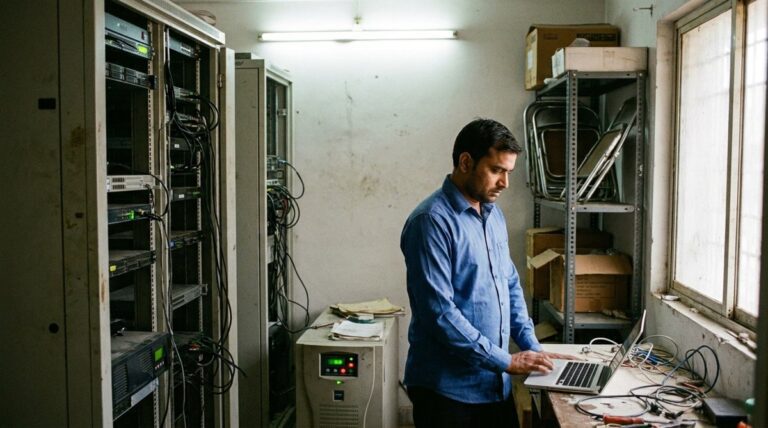
Meena runs IT for a 70-seat shared-services floor in Jaipur, the kind that handles back-office work for clients abroad. She called me on a Thursday. Seventy new laptops had landed on the Tuesday, induction was Monday, and her plan was to come in on the weekend with one junior and set them up by hand. I asked her one question. Are these machines built for laptop fleet imaging, or are you about to open 70 boxes and click through 70 setup screens? There was a pause. That pause is the whole story.

The Monday seventy desks had to be ready for
Induction Monday is not a soft deadline. Seventy new hires walk in at 9, sit down, and either start training or sit watching an IT person crouch under their desk. The client had service levels that began the day the floor went live. A late start was not an internal embarrassment, it was a number on a contract.
So the laptops had to be more than powered on. Each one needed the operating system set the right way, the machine joined to the company directory, the line-of-business apps installed, the security agent and the backup running, the printers mapped, and the user able to log in with their own account on the first try. Do that well and a new hire is productive by 9:30. Do it badly and you spend the first week fixing the three machines that never got the backup agent because someone got tired at laptop number 54.
Meena had seen the messy version before, at a previous job, where a consumer-grade fleet turned a rollout into a month of small fires. It is the same pattern our Pune design studio hit when a cheap fleet bricked mid-project. The machines were not the headline. The setup was.
Two ways to put 70 machines on those desks
There are really only two roads here. I have seen the first one taken by default at most small offices, because it is what they have always done. You open each box, go through the out-of-box setup, join the machine, install everything, and move to the next desk. On a good day, with two people who know the apps, that is about 35 to 40 minutes a machine once you count the reboots and the waiting. Seventy machines is most of a fortnight of two people doing nothing else. Over a weekend with two people, you simply do not finish.
The second road is to let the machines build themselves. You define one standard setup once, then every laptop pulls that setup down on first boot, joins the directory on its own, and arrives at the login screen already configured. The user signs in with their work account and the apps are already there. That is laptop fleet imaging in one sentence. The work moves from the desk to a config you write once and reuse 70 times, or 700 times.
The catch, and this is the part Meena had not been told when the laptops were ordered, is that the second road needs machines that were built for it. The method and the hardware are one decision, not two.
200+ Indian businesses served. Response within 8 hours. No card, no contract, no sales call.
What laptop fleet imaging actually does before the box is opened
Picture the order placed correctly. The laptops are registered to your tenant before they ship. A new hire powers one on, connects to wifi, and the machine reaches out, recognises itself as yours, and pulls the policy, the apps, and the security settings without anyone touching it. Microsoft calls this cloud path Windows Autopilot, and it is the difference between handing someone a laptop and handing someone a configured workstation.
If you would rather not go fully cloud, the older approach still works well at this scale. You capture one golden image, a single machine set up exactly how you want it, and you write it to every other unit, or you bake the settings into a provisioning package that applies in minutes on first boot. Either way the principle holds. You do the thinking once. The fleet copies it.
What that bought Meena was real. We set up the standard config on the Thursday evening. Friday the machines were registered and started pulling it down in batches while she and her junior did other work. By Saturday midday the laptops were logging in clean, agents running, printers mapped. The weekend marathon she had braced for turned into a morning of spot checks. Seventy desks, ready, with two days to spare.
The cost nobody puts on the onboarding plan
Here is the part finance never sees, because it never lands on an invoice. Set up by hand, those 70 machines cost roughly two people for nine working days. Add the slow first week for any hire whose machine was not quite right, and the late floor start the client would have noticed. Done with provisioning, the same job was a Thursday evening of setup and a Saturday morning of checks. Look at the two side by side, per fleet.
| 70-laptop rollout | Set up by hand | Provisioned and imaged |
|---|---|---|
| IT labour to deploy | About 9 working days, two people | One evening setup, one morning of checks |
| Ready for induction Monday | At risk, likely partial | Done, two days early |
| Machines missing an agent or setting | Three to five, found later | Near zero, config is identical |
| First-week productivity of new hires | Patchy where setup slipped | Full from day one |
| Repeatable for the next 70 hires | No, start again | Yes, same config reused |
Cost the labour alone at a junior engineer rate and the hand-built rollout burns close to six lakh a year once a growing floor does this two or three times. That is before you price a delayed client start or a week of half-working new hires. The provisioning setup costs a fraction of that and gets cheaper every time you reuse it.
This is the same lesson our Surat textile office learned on total cost of ownership, just told from the deployment chair instead of the repair bench. The sticker price and the setup time both hide their real cost until the fleet is on the floor.
200+ Indian businesses served. Response within 8 hours.
The method needs the right machine under it
None of this works if the laptops cannot take part. The cloud provisioning path needs a machine with a TPM and the security settings Microsoft expects, registered to your tenant by the vendor or partner at order time. Consumer models often ship without the management hooks switched on, and without a partner who will pre-register them. You end up back at the desk, clicking through screens, wondering why the fast path will not start.
This is the quiet reason we point SMB buyers at the ASUS ExpertBook business range rather than the consumer line on the next shelf. Same brand, different machine underneath. The business units ship with the manageability, the TPM, and a channel that will register the fleet to your tenant before it leaves the warehouse. That is what turns a spec sheet into a morning instead of a fortnight.
If your floor already runs a mix of brands and you are not replacing everything at once, the fix is sometimes the desk rather than the laptop. Our note on a universal dock for a mixed fleet covers that middle path, where you standardise what the user touches even when the laptops differ.
Key takeaways
- The slow rollout is rarely the laptop. It is the method. Setting up 70 machines by hand is a fortnight nobody budgets.
- Define the setup once and let the fleet pull it down. That is the whole idea behind imaging and provisioning.
- Order for it. Machines registered to your tenant before they ship are what makes the fast path actually start.
- The method needs the hardware. A TPM and real manageability are why a business laptop images cleanly and a consumer one fights you.
- Whatever you build once is reusable. The next 70 hires cost a morning, not another fortnight.
FAQ
What is laptop fleet imaging in plain words?
It is setting up one standard configuration once, then applying it to every laptop automatically, so each machine arrives joined to your directory with the apps, security, and settings already in place. Instead of touching every laptop by hand, you do the thinking once and the fleet copies it on first boot.
How many laptops make imaging worth it?
The maths usually flips somewhere around 15 to 20 machines, or any time you onboard in batches. Below that, setting up by hand is fine. Above it, or whenever you hire in waves, the time saved and the consistency pay for the setup the first time you use it, and then keep paying.
Can I image laptops that were not ordered for it?
Partly. You can still capture a golden image or use a provisioning package on most business machines. The fully hands-off cloud path needs the units registered to your tenant, ideally by the vendor at order time, and a machine with the right management hooks. That is why the order matters as much as the laptop.
Which ASUS line supports fleet imaging?
The ExpertBook business range, not the consumer Vivobook. The ExpertBook ships with the TPM, the management features, and a channel that can pre-register the fleet. The ASUS business laptops page lists the models we deploy most across India.
If you want to see how this sits next to other brands before you buy, our 2026 business laptop shortlist is the one a CFO signed off.
200+ Indian businesses served. 17+ years in IT. Reach us on WhatsApp at +91 91375 93228, 10 to 7 IST, or start above. Prefer a number first? Get my free 4-hour quote. Response within 8 hours.
P.S. Sudeep here. We have run this exact rollout for a Jaipur floor and a Pune one, and the IT lead always asks the same thing after: why did nobody tell me at the order stage? Because the vendor sells you a laptop, yaar, not a method. Bas, next time you buy a fleet, ask whether it images itself before you ask about the screen.