Universal docking station for mixed laptop fleet: 40 hot desks, four brands, one answer
Universal docking station for mixed laptop fleet: 40 hot desks, four brands, one answer
Last updated: 25 July 2026
The desk by the east window had four docks in a drawer. Four. A Dell one, an HP one, a Lenovo one, and a little USB-C thing somebody bought for the Mac. Whoever sat there in the morning had to find the right one, plug it in, pray the second monitor woke up. Most mornings it did not.
This was a product company in Bengaluru. Around 220 people, half of them hybrid, three days in and two days home. When they moved to hot desks to save floor space, nobody thought about the docks. Why would you. A dock is the most boring object in the office. Until 40 of them stop matching the laptops sitting on them.
I have seen mixed fleets before, so I went in expecting to recommend a proper brand dock per zone. Group the Dell people here, the HP people there, sort it by department. Clean on paper. The ticket log had other ideas.
The morning the hot desk plan fell apart
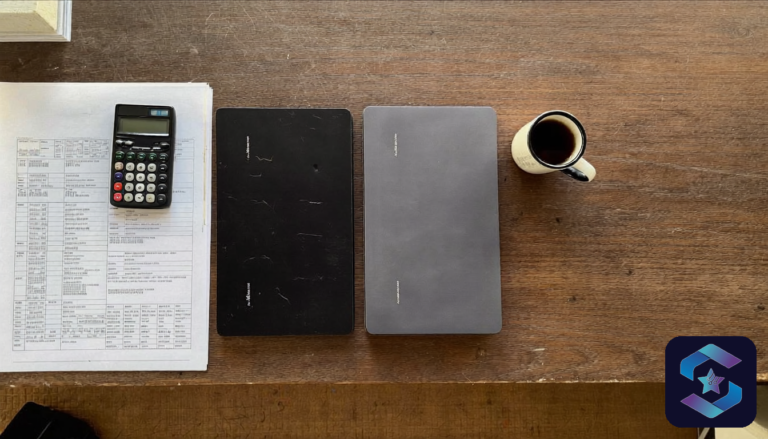
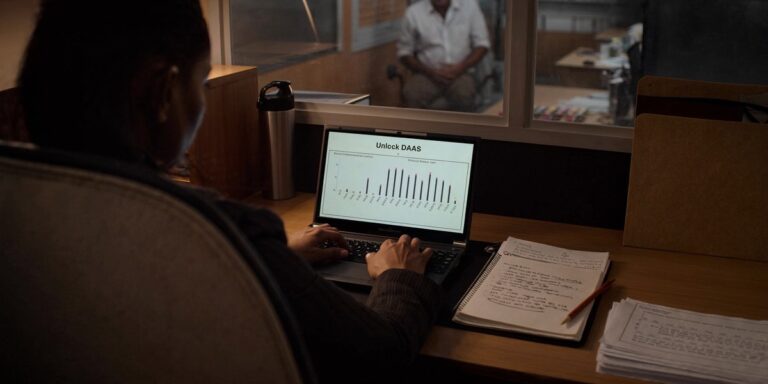
Meera ran admin and IT for the office. Sharp, no patience for vendor talk, two folders and a tablet on her desk at all times. She showed me three weeks of helpdesk tickets. Forty-one of them were the same complaint in different words. Monitor not detecting. Second screen black. Dock not charging the laptop. Keyboard works but display does not.
Here is what was happening. The company had bought laptops over four years from whoever had stock. Dell Latitude for the older lot. HP EliteBook for the 2024 intake. A batch of Lenovo ThinkPads from a tender. And the design and leadership Macs. Four brands. Each brand dock spoke its own language to its own laptop and refused to fully cooperate with the others.
A Dell dock would charge a ThinkPad but not always drive both monitors. The HP dock and the MacBook had a cold war going. People stopped trusting hot desks and started camping at the few that worked, which defeated the entire point of going hybrid. Arre, the whole thing became a daily jhamela before 10am.
or browse the Targus business accessories range for Indian offices.
Why brand docks quietly punish a mixed fleet
A brand dock is built for one family of laptops. Dell makes the WD-series for its own machines. HP makes theirs for HP. They are good docks. Inside a single-brand fleet, they are the right call, full native speed, one driver story, clean.
The trouble starts the moment your fleet is not single brand. Most Indian SMBs and mid-market offices are not. You buy by budget and availability, not by loyalty. So you end up with three or four laptop brands and, if you let it happen, three or four dock types to match. Now every hot desk needs the correct dock for the person sitting there, which means you cannot truly hot desk at all.
There is a second cost nobody puts on the invoice. Spares. If you stock brand docks, you stock four kinds of spare. Four kinds of power brick. Four things to explain to the new helpdesk hire. That is real money and real confusion sitting in a cupboard.
Why a universal docking station for mixed laptop fleet beat the brand docks
A universal dock connects over standard USB-C and handles the video itself, using DisplayLink technology from Synaptics rather than relying on each laptop’s own graphics path. Translation for a busy admin head: it does not care what brand the laptop is. Dell, HP, Lenovo, Mac. Same dock, same single cable, same behaviour. You plug in, two monitors light up, the laptop charges. That is the whole promise, and on a mixed fleet it holds.
We standardised on a Targus universal USB-C dock with dual video out and 100W power delivery. One model. Every desk got the identical unit. The brand docks went into a labelled box for the few single-brand meeting rooms that genuinely benefit from native Thunderbolt.
The honest part, because Riya does not sell you fairy tales. A DisplayLink universal dock needs a small driver on each laptop. Ten minutes, once, pushed through the existing device management, done. And native Thunderbolt docks move data faster than DisplayLink, which matters if you are pulling raw 8K video off the dock’s ports all day. An office that lives in spreadsheets, browsers, Teams calls, and two 1080p or 4K monitors will not feel that gap. The design team’s Macs kept a Thunderbolt dock at their fixed seats. The 40 hot desks got the universal one. Right tool, right desk.
What it actually cost, in rupees and working days
The universal docks landed at roughly 14,000 to 16,000 rupees each depending on the exact model and the day’s pricing. Forty desks, so call it 6 lakh of hardware. Against that, set the brand-dock plan they almost bought: four dock types, extra spares, and the slow tax of tickets that never fully went away.
Rollout took bas two working days. Day one, we imaged the driver onto the fleet and swapped docks on 20 desks after hours. Day two, the other 20, plus a quick floor walk to label every desk with the same simple card. No monitor settings to remember, no brand to match. Sit, plug the one cable, work.
Three weeks later Meera pulled the ticket log again. Dock-related tickets for the period: two. One was a faulty cable, swapped in five minutes. The other was a user who had not rebooted after the driver install. From 41 in three weeks to 2. That is the number that ends the argument.
“Honestly, the best part is nobody talks about the docks anymore,” she told me. “Pehle it was the first thing every morning. Now it’s just a desk.” Pakka the highest praise a piece of hardware can earn. Invisible.
Mixed fleet, hot desks, daily monitor tickets? and we will size the docks. See the Targus business accessories options first if you like.
How to choose the dock, without overbuying
Start with the laptops, not the dock. Count the brands on the floor. If it is genuinely one brand and will stay that way, a native dock is fine and you can stop reading. If it is two or more brands, a universal USB-C dock removes a problem you will otherwise fight for years.
Then check three things. One, power: a laptop charging over USB-C wants 65W to 100W from the dock, so match the dock’s power delivery to your heaviest laptop. Underpower it and the battery drains while plugged in, which is its own ticket factory. Two, displays: decide one monitor or two, and at what resolution, then buy a dock rated for exactly that. Two 4K screens need more dock than two 1080p screens. Three, the cable and the standard: stay on mainstream USB-C rather than a proprietary connector, so a replacement is a 300-rupee cable from anywhere, not a special order.
For the universal video itself, the technology to look for is DisplayLink. It is what lets one dock drive monitors across every laptop brand without leaning on the laptop’s own GPU. That single design choice is why the Bengaluru floor went quiet.
If you are also refreshing the laptops underneath all this, that is the moment to standardise the dock decision too. We have written about picking the machines in Dell vs Lenovo vs HP for Indian SMBs and the wider 2026 business laptop shortlist. Teams mid-refresh, like the one in our HP commercial laptop fleet refresh story, save the most by deciding laptops and docks together. And if the same desks double as call spots, the Logitech meeting room kit rollout covers the audio side.
Universal vs brand vs no plan, at a glance
| Approach | Works across brands | Spares to stock | Best for |
|---|---|---|---|
| No dock plan (whatever is in the drawer) | By luck only | Chaos | Nobody |
| Brand docks per zone | One brand each | One type per brand | Single-brand fleets, fixed seats |
| Universal USB-C dock (DisplayLink) | All brands, including Mac | One type total | Mixed fleets, hot desks, hybrid floors |
Key takeaways
- Hot desks only work when every desk behaves identically. Brand docks cannot promise that on a mixed fleet.
- One universal USB-C dock per desk replaced four brand docks and cut dock tickets from 41 in three weeks to 2.
- Match power delivery to your heaviest laptop and dock displays to your real monitor count. Do not overbuy resolution you will not use.
- Keep native Thunderbolt docks only where they earn it: fixed, single-brand, heavy-video seats.
FAQ
Will one universal dock really work with a MacBook and a Windows laptop?
Yes. A USB-C DisplayLink dock drives the monitors itself, so it works across macOS and Windows on the same unit. The Mac needs the same small driver the Windows machines get.
Is a universal dock slower than a Thunderbolt dock?
For raw data throughput, yes, Thunderbolt is faster. For ordinary office work on one or two monitors, you will not notice. The speed gap only shows up under heavy video or large external storage loads.
How many monitors can a universal dock run?
Most business universal docks run two external displays. Buy the unit rated for your resolution. Two 4K screens need a higher-spec dock than two 1080p screens.
Do we need a different dock for every laptop brand we own?
No, that is the entire point. One universal model covers the whole mixed fleet, which also means one spare type and one cable to stock.
One dock model for your whole floor, Dell to Mac. and we will size it to your desk count and monitors. Start with the Targus business accessories page.
200+ Indian businesses fitted out, 40+ hybrid floors standardised. Reach us on WhatsApp at +91 91375 93228, 10 to 7 IST, or use the quote form above. No card, no contract, no sales call to get a number.
P.S. Meera messaged me a month after the swap. A new joiner had spent his first week assuming every office just worked like this, plug one cable and go. He had no idea there had ever been a dock problem. That is the win. The best hardware is the kind nobody remembers you installed.
The longer read for Indian buyers who want the real numbers before they commit.
Send me the field guide