TPM 2.0 business laptop: what a Kolkata insurance firm learned when 22 of 40 units failed BitLocker escrow
Aparna runs IT for a mid-size Kolkata insurance firm. Forty seats. She has done three fleet refreshes in seven years. She knows the drill.
Except this Monday, the drill broke.
The morning the fleet would not play nice
The laptops had arrived Friday. Forty units of what her vendor had promised were “Windows 11 ready, TPM 2.0 chips, business grade”. She had signed off the PO on that line item. Her CFO had signed off on the invoice.
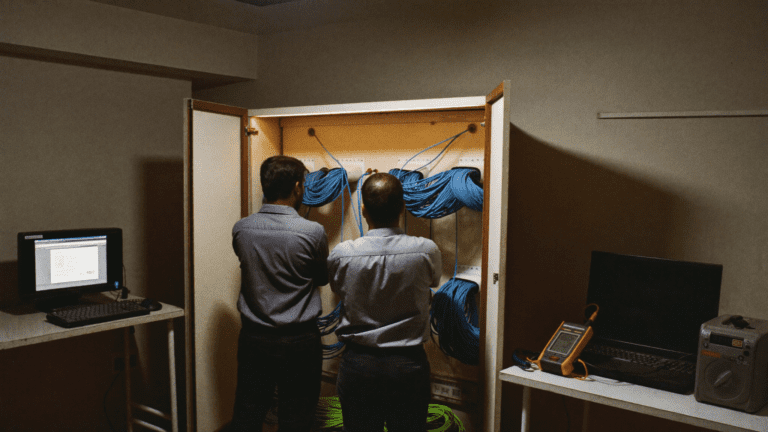
By 10:30 on Monday her Intune console was showing a red bar. BitLocker keys were not escrowing. Twenty-two of the forty new laptops were reporting TpmPresent = False to the MDM. The other eighteen were fine.
She called me. I was on a train back from a Pune site. “Riya, my auditor is here Wednesday. Half the fleet doesn’t have a working TPM. What did the vendor sell me?”
I asked her to send the exact model number. She sent it. I opened my laptop.
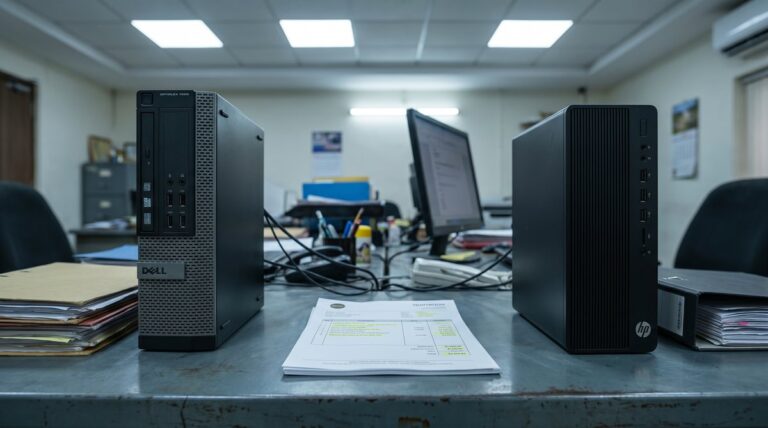
What the vendor had sold her was not what her PO said. It was a consumer SKU with a firmware TPM that the OEM had never bothered to expose in the BIOS on that batch. A firmware update might unlock it. Might. On some units it would take a full board swap. On 22 out of 40, this was going to be a fight.
TPM 2.0 business laptop: what the BIOS was actually telling her
Here is the thing that trips almost every SMB buyer. The BIOS screen on Aparna’s units showed TPM Device: Available. Green tick. Same BIOS also said TPM State: Enabled. Second green tick. Any buyer would sign off and move on.
Windows itself said no. tpm.msc loaded and reported “A compatible TPM cannot be found on this computer.” That is not a BIOS lie. That is the OEM shipping a chipset with Intel Platform Trust Technology (PTT) that was never made visible to the operating system. The firmware knows it exists. Windows does not. Intune definitely does not.
On a real ASUS ExpertBook or business ASUS SKU, PTT is exposed by default, and there is often a discrete TPM header on top of it for organisations that want the physical chip. On a consumer B-series or gaming laptop pushed into a corporate rollout, that exposure is sometimes silently disabled by the OEM to reserve BIOS options for later firmware SKUs. It is not malicious. It is bad procurement.
She had been sold the wrong laptop. Twenty-two out of forty.
The consumer chip trick nobody explains at the demo
Every Intel and AMD business processor from Zen+ and Coffee Lake forward carries firmware TPM 2.0. That is a design fact. What varies is whether the OEM exposes it in the shipped BIOS.
Business ranges expose it by default because their target buyer is IT. ASUS ExpertBook. HP EliteBook and ProBook. Dell Latitude and Precision. Lenovo ThinkPad. Apple silicon Macs have the Secure Enclave which is a different animal but plays the same role. These are the safe SKUs.
Consumer ranges are a lottery. Same silicon underneath. Different BIOS. Same laptop model number can ship with PTT exposed on one production run and hidden on the next. The OEM does not think of you as the buyer, so they optimise for the consumer path. You save eight thousand rupees per unit up front. You spend three weeks fighting BitLocker later.
The rule I give every buyer: if the laptop is being sold to you at a discount you did not negotiate, it is probably a consumer SKU dressed up in a business quote. Ask why the price is that low.
What actually changes at the DPDP audit
The DPDP Rules that started tightening through 2026 want to see the same three things any modern data protection framework wants. Encryption at rest on any device that holds personal data. Proof that the encryption key is recoverable through a documented process. Proof that the key is not sitting in a spreadsheet on the IT head’s desktop.
BitLocker with keys escrowed to Intune or Azure AD ticks all three. But BitLocker on a Windows 11 business rollout leans on TPM 2.0 to seal the recovery key. No working TPM, no clean BitLocker enrolment, no escrowed key. Your auditor writes “control not implemented” against your fleet.
Aparna’s other option that Monday was to run BitLocker in TPM-less mode, which needs a USB startup key or a passphrase at every boot. Forty laptops. Forty passphrases. Forty ways for that passphrase to leak. Not a control the auditor will accept.
She had shipped the wrong hardware into a compliance-critical rollout. She did not know because her vendor did not tell her. Nobody tells you at the demo that the discount version has PTT locked.
How to spec it before you sign the PO
This is the checklist we use with every hardware buyer before we let a fleet PO go out.
| Check | What good looks like | What to reject |
|---|---|---|
| SKU family | ExpertBook, EliteBook, Latitude, ThinkPad, ProBook | Any consumer or gaming line dressed as “office” |
| tpm.msc output on sample unit | Screenshot showing “TPM 2.0, ready for use” | “Compatible TPM cannot be found” |
| BIOS TPM visibility | PTT or fTPM setting visible and toggleable | No security menu item at all |
| Secure Boot state | On, with Microsoft keys enrolled | Off, or CSM enabled |
| Vendor written attestation | Line item on quote: “TPM 2.0 exposed, BitLocker ready” | Blank spec sheet with just “Windows 11 Pro” |
None of this needs a lab. It needs one hour with a sample unit before the batch order goes out. Any vendor who cannot arrange a sample unit for you is not selling you a business laptop.
The three questions I make every buyer ask
First. “Show me tpm.msc on a live sample unit, not a data sheet.” If they hesitate, they know something.
Second. “If BitLocker fails to enrol on any unit in this batch, will you replace or reflash the BIOS at your cost within seven days?” Write it into the PO. Vendors who mean it will sign. Vendors who don’t will renegotiate.
Third. “What is the OEM part number, not the marketing name?” ExpertBook B3 is a family. ExpertBook B3402FEA-EC0224X is a shipping SKU. The second one you can look up on the OEM’s own compatibility page. The first one is a brochure.
Aparna’s Monday ended with a hard conversation with her vendor. They agreed to swap the 22 failing units within a week. She got her BitLocker escrow working before the auditor arrived Wednesday. She kept her job. Her CFO did not have to redo the invoice.
But she also spent five days on a problem she should have caught at PO stage. That is the actual cost of the discount she was chased with.
What I keep telling founders in Kolkata and Chennai and Bengaluru
The Windows 10 support cliff already happened on 14 October 2025. Extended Security Updates cost around fifty US dollars per device per year and climb every year after. On a forty-seat firm that is nearly two lakh rupees a year to run software that will still fail your next audit for the same TPM reason.
The refresh is not optional now. What is optional is whether you buy hardware that will pass an audit on day one or hardware that will need a fight in month three.
We buy business SKUs from ranges that ship with TPM 2.0 exposed. We sample-test tpm.msc before the batch order. We write BitLocker acceptance into the PO. This is the boring plumbing that keeps a fleet clean.
If you are refreshing forty, or four hundred, seats this quarter and you are not sure the quote in front of you is the right SKU, send it to me. I will read it and tell you what to change before the PO clears.
Frequently asked, honestly answered
My laptop’s BIOS shows TPM enabled but Windows says “compatible TPM cannot be found”. What is going on?
The BIOS is reporting the firmware TPM is present in the chipset but the OEM has not exposed the interface to the operating system. Consumer laptops do this more often than business laptops. A BIOS update from the OEM sometimes fixes it. Sometimes it needs a service centre visit. On a fleet buy this is a rejection, not a workaround.
How do I know a laptop I am about to buy has TPM 2.0 that Windows will actually see?
Ask for a screenshot of tpm.msc on a sample unit of the exact SKU you are ordering. It should read “The TPM is ready for use, Specification Version 2.0”. Anything else is a red flag. On business ranges from ASUS, HP, Dell, Lenovo this is a formality. On consumer ranges it is a test the vendor sometimes fails.
Can I just disable TPM checks and install Windows 11 anyway?
You can. And you should not. Microsoft has said publicly they may block future feature updates on registry-hacked installs, and BitLocker still needs a real TPM to seal the recovery key cleanly. If you are running a business fleet under DPDP scope, a hacky install is not a compliant install.
Is fTPM inside the CPU the same as a discrete TPM 2.0 chip?
Functionally, yes, for what BitLocker and Windows Hello need. Both meet the Windows 11 requirement. Discrete TPM chips are still preferred on high-security roles because the communication path between chip and CPU is harder to physically probe. For most Indian SMB rollouts, exposed fTPM is enough.
Does the TPM chip in a business laptop expire or need renewal?
No renewal needed. The chip lasts the life of the laptop. What can happen is a BIOS or OEM firmware update sometimes clears the TPM state and forces a BitLocker recovery cycle. That is why you keep BitLocker keys escrowed to Intune. So the recovery is a click, not a rebuild.
Key takeaways
- Business laptop SKUs from ASUS ExpertBook, HP EliteBook, Dell Latitude, Lenovo ThinkPad ship TPM 2.0 exposed by default. Consumer SKUs are a lottery.
- A tpm.msc screenshot on a sample unit is the ten-second acceptance test. Insist on it before the batch order.
- BitLocker escrow to Intune needs a working TPM 2.0. No TPM, no escrow, no clean DPDP evidence.
- Windows 10 ESU is not a plan. It is a stopgap that grows more expensive each year.
- Write BitLocker enrolment acceptance into the PO so the vendor owns the replacement cost if the fleet fails.
Related reading on hardware buying decisions we have written up: why a Pune design studio’s cheap laptop fleet bricked itself, how a Jaipur shared-services floor imaged 70 laptops in a morning, and what 60 cheap laptops actually cost a Surat office over three years.
P.S. Riya here. If you are staring at a laptop quote right now and the SKU code looks vaguely familiar but you are not sure it is the business range, send me the model number. I will check the OEM’s own compatibility page and tell you in an hour whether it will pass your next audit. That check is on us. It is the smallest thing that has saved the most fleets this year.