Apple Business Manager setup for Indian companies
A 90-person design and engineering firm in Andheri bought forty Macs from a local reseller. On rollout morning, not one of them showed up in the portal.

Apple Business Manager setup runs in four parts. Create the account at business.apple.com. Get your organisation verified with a D-U-N-S number. Link your Apple Customer Number or Reseller Number so purchased devices appear. Then connect your MDM with a service token that expires every twelve months. Two of those four are paperwork, and the paperwork is where Indian rollouts stall.
One more thing before you start. Apple renamed the product. Apple Business Manager is now Apple Business, and the portal address has not changed.
Day 1 of the Andheri rollout. 9:40 AM.
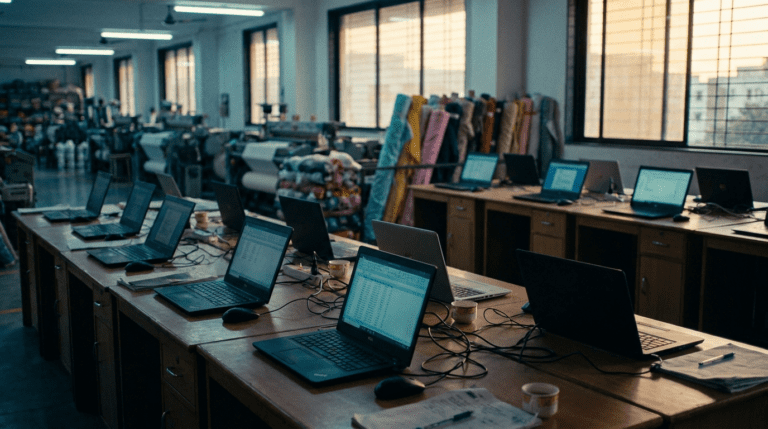
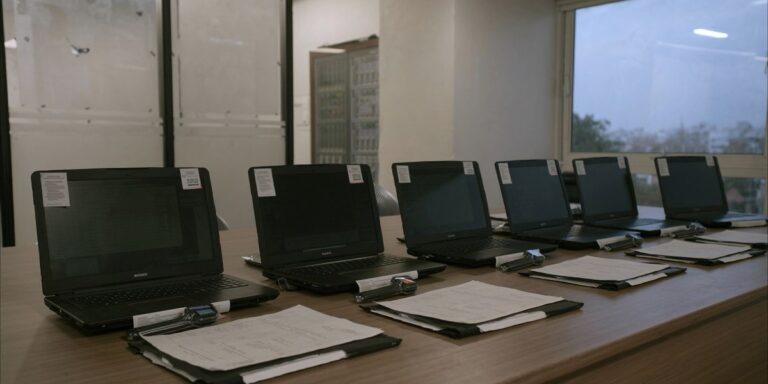
Forty Macs on the floor, cartons already opened, packaging gone to the basement. The MDM console was configured. The Wi-Fi payload was tested on a spare unit the previous week. And the device list in the portal said zero.
I am Arjun. I have set this up for four Apple fleets now. This is the one I learned the most from, mostly because the mistake was mine.
The name changed, and the guides did not
Start here so the rest makes sense. Apple Business Manager is now Apple Business, and Apple has folded Apple Business Manager, Apple Business Essentials and Apple Business Connect into one thing. The portal is still business.apple.com. Your bookmarks still work.
Everybody in India still calls it ABM, including me, including your reseller. So if a vendor sends you a deck with the old name on it, that tells you nothing except that they made the deck last year.
Part one: the account, and the verification that can delete you
Sign up with a work email address that has never been used for iCloud, the App Store, or any other Apple service. That address becomes your first administrator account. Use a legal first and last name, not a job title. Apple checks.
Then verification, which is the part people underestimate. You enter your organisation’s D-U-N-S number and the name, email and job title of a verification contact. A real person at Apple then calls that contact and confirms your organisation exists.
This is where Indian applications stall.
The D-U-N-S record has to match your MCA registered name and address character for character. Private Limited written one way in Dun and Bradstreet and another way on your incorporation certificate is enough to stall the review. Most Indian companies discover their D-U-N-S record still carries the office they left in 2021.
The verification contact must actually answer the phone. Put your CFO or a director in that box, then tell them Apple will call from an unknown number. Achha, and check that the spam filter allows every apple.com domain.
And the review has a window. If your organisation is not approved inside it, Apple deletes the organisation and its data, and you start again. You start again from the sign-up page with a fresh email address.
Add a second administrator before you do anything else. One admin account with one recovery phone number is how a fleet gets locked out when that person changes jobs. It costs nothing and it takes four minutes.
Part two: the step that emptied my portal
Now the reseller step, which is the one that cost me a week in Andheri.
Devices only appear in Apple Business automatically if two things are true. Your Apple Customer Number or Reseller Number is linked in the portal under Devices, then Inventory. And your reseller put your organisation’s ID on the actual purchase order. Both. Not one.
Small detail worth knowing: when you type the Apple Customer Number, drop the leading zeros. It rejects them silently.
My mistake was assuming. The reseller told me they do this all the time. I took the sentence at face value. What I should have asked for was the order confirmation showing our organisation ID on it. Forty machines shipped against an order with nothing linked. Bas. No error message, no warning, just an empty list at 9:40 on a Monday.
Ask for that confirmation before the PO is released. It is one email. It now sits in the purchase checklist for every Apple order that runs through our device lifecycle management practice. Cheaper to ask a question than to fix forty laptops by hand.
What the Apple Configurator retrofit actually costs you
There is a rescue path, and it costs you something.
Apple Configurator lets you add devices that were not bought through a linked supplier. It covers iPhone, iPad, and Mac computers with Apple silicon or the Apple T2 chip running macOS 12.0.1 or later. You touch each device once, it enrols, and after that it behaves like any other managed machine with supervision applied.
Then the part your reseller will not raise. Apple gives the user a 30-day provisional period to release that device from Apple Business, from supervision and from your MDM console. Thirty days of an exit door on every machine you just rescued.
For most offices that is a theoretical risk. For a design firm holding client artwork and personal data under the DPDP Act, it is a governance gap you cannot honestly report as closed for a month. And the DPDP Act does not care that the reseller forgot a field.
We worked through all forty over two evenings. Pakka boring work, and the operations head was very kind about it, which somehow made it worse.
The math: which enrollment method for which device
Once the devices are in, you still have to pick how they enrol. This is the table I now draw on a whiteboard before any Apple rollout, and it is drawn from Apple’s own enrollment methods documentation.
| What you are deploying | Method | Supervised | The catch |
|---|---|---|---|
| New Mac or iPhone, supplier number linked | Automated Device Enrollment | Yes | None. This is the path you want. |
| Company device already in use | Apple Configurator, then erase and enrol | Yes | 30-day window for the user to release it |
| Company phone, personal Apple Account allowed | Account-driven Device Enrollment | Mac yes, iPhone no | Needs iOS 17, iPadOS 17 or macOS 14 |
| Employee’s own phone under BYOD | Account-driven User Enrollment | No | Limited control, and you cannot wipe the device |
| Shared floor iPad or a kiosk | Automated Device Enrollment by serial number | Yes | No Managed Apple Account needed |
| Mac you want configured without a person present | Automated Device Enrollment with Auto Advance | Yes | Needs wired Ethernet and macOS 11 or later |
| A Mac on macOS 14 that someone skipped past setup | Enforced enrollment screen | Yes | User can defer once, and it returns after eight hours |
Two rows carry the argument in most rooms. The BYOD row, because user enrollment leaves you unsupervised and unable to wipe a device, which is a very different conversation with a DPO than people expect. And the Auto Advance row, because Apple’s deployment guide is clear that it needs an active Ethernet connection during first configuration. Half the offices I walk into no longer have a wired port on the imaging bench.
Part three: the MDM link, and the clock nobody diarises
The connection itself is mechanical. In the portal, go to Devices, then Management Services, and create a new service. Download the public key from your MDM, upload it to Apple, download the service token Apple gives you, upload that token back into the MDM, then sync.
If you run Microsoft Intune, the sequence is the same with Microsoft’s names on it. Intune needs an active Apple token and an Apple MDM push certificate, and it expects devices to be new or wiped before they enrol.
Now the clock. That service token expires after one year. Some MDM consoles warn you. Some do not. Nobody remembers a date they set once, twelve months ago, during a rollout week.
Put the renewal in a shared calendar the day you create it, with a reminder thirty days out, owned by two people. Do the same for the Apps and Books token and the MDM push certificate. Every stalled Apple fleet I have been called into had a token that died quietly in the background while everyone assumed the console was fine.
And the objection I hear at this point, usually from the founder rather than the IT lead: we are only fifty devices, we do not need MDM. Fifty is exactly the size where one lost laptop is a real problem and nobody has a system for it yet. DPDP does not have a headcount exemption, so device governance applies to you the same as it applies to the 2,500-device shop, just cheaper to set up now than to retrofit after an incident. Small is the right time to do this, not the reason to skip it. If you want the numbers behind that, we broke down what MDM actually costs an Indian business in a separate piece.
If you are setting this up yourself
This is the order I would run it in, and roughly what each part takes.
Pull your D-U-N-S record first and compare it line by line against your incorporation certificate. Fix mismatches with Dun and Bradstreet before you touch Apple, because that correction is the long pole and it can run into weeks.
Create the account with a clean work email and a named human, then immediately add a second administrator. Nominate a verification contact who answers unknown numbers.
Before any purchase order goes out, get your Apple Customer Number or Reseller Number into the portal. Then get written confirmation from the reseller that your organisation ID is on the order. This is the step I skipped. Do not skip it.
Connect the MDM, then test exactly one device end to end before the shipment arrives. Erase it, power it on, watch Setup Assistant show your enrollment screen, confirm the profile lands. One device on a quiet afternoon tells you more than forty devices on a busy Monday.
Write down every token expiry date in a place two people can see. Then write down who calls whom when a device fails to enrol at 6 AM, because somebody will ask that question at the worst possible moment.
Last one. Decide your enrollment method per device type before you order, not after the cartons land. Changing your mind afterwards means erasing machines that people are already working on. We have shipped enough of these to know that the erase always happens on the day the client has a deadline. For the fuller picture of how this fits everything from procurement through to disposal, our note on what device lifecycle management actually covers walks through the whole cycle.
What to take away
- The name is Apple Business now. Same portal, same login, one combined product. Search results and vendor decks will lag behind for a while.
- Fix D-U-N-S before you touch the portal. The record must match your MCA name and address exactly, and correcting it is measured in weeks, not hours.
- Verification can delete you. If the organisation is not approved inside Apple’s review window, it and its data are removed. Give Apple a contact who picks up the phone.
- Link the supplier number before the PO. Devices appear only if your Apple Customer Number or Reseller Number is linked and your organisation ID is on the order. Get it in writing.
- The Configurator rescue has a 30-day exit door. Users can release retrofitted devices from management for a month, which matters if you are reporting DPDP readiness.
- Diarise the tokens. The MDM service token expires after one year, and a dead token looks exactly like a working console until enrolment fails.
Questions the operations head asked me that week
Do I need a D-U-N-S number for Apple Business Manager in India?
Yes, for organisation verification. You enter the D-U-N-S number in your organisation settings, along with a verification contact Apple will phone. A D-U-N-S number is free from Dun and Bradstreet and Indian companies can request one online. The catch is accuracy rather than cost. The registered name and address on the D-U-N-S record must match your MCA incorporation record. Pull the record and check it before you start the Apple sign-up, not after.
Why are my Macs not showing in Apple Business Manager?
Almost always because the purchase was never tied to your organisation. Devices flow in automatically only when two conditions hold. Your Apple Customer Number or Reseller Number is linked in the portal under Devices then Inventory, and the reseller put your organisation ID on the order itself. If either was missed, the devices will never appear on their own. You can add them manually with Apple Configurator. The user then gets a 30-day period in which they can release the device from Apple Business and from your MDM.
Is Apple Business Manager free, and do I still need an MDM?
Apple Business is free to use. It is an enrollment and licensing layer rather than a management console. The built-in device management suits very small or simple estates. Most companies past thirty or forty devices still connect an external MDM such as Microsoft Intune, Jamf, Kandji or ManageEngine. That buys you policy enforcement, app control, reporting and audit trails. The honest way to decide is to list the policies you actually need enforced. If the list is short, start built-in and move later.
Can I enrol Macs employees are already using?
Yes, with a wipe. Automated Device Enrollment is designed for new or erased devices, so a Mac already in service needs to be backed up and erased before it enrols cleanly. Apple Configurator can add Macs with Apple silicon or the T2 chip running macOS 12.0.1 or later. Plan the backup properly and do it in small batches. Doing this to a working machine on a deadline day is how IT teams lose the room for a year.
How long does Apple Business Manager approval take for an Indian company?
Apple says verification can take multiple business days and depends on application volume and whether Apple can reach your contact. In practice the Apple side is rarely the delay. The delay is a D-U-N-S record that does not match the incorporation certificate, or a verification contact who does not answer an international call. Fix both before you apply and most Indian companies get through in under a fortnight. Leave both to chance and it can run past a month.
Ordering Apple devices in the next quarter?
Send us the device count and who your reseller is. We will check whether your supplier number is linked. We will review your enrollment method against how the devices get used. Then we will tell you plainly if your current setup is already fine. If the answer is change nothing, we will say change nothing. 200+ Indian businesses work with Sirius Star from Vashi, Navi Mumbai. Response within 24 working hours.
Future Arjun, if you are reading this before another Apple rollout: ask for the order confirmation with the organisation ID on it. Do not move until you are holding it. The reseller is not lying to you. He is answering a different question from the one you asked. Everything else in this article is documentation you can look up. That one sentence is the week you get back.
One page, in order. Every step from the D-U-N-S check to the token renewal dates. Includes the reseller confirmation wording you can paste straight into an email before your next purchase order goes out.
* Apple changes its deployment documentation regularly and minimum operating system versions move with each release. Confirm current requirements in Apple’s guides before you plan a rollout window.